Migrate IMAP to Office 365 Admin Center Directly in 5 Steps

Have you ever thought to migrate from IMAP based email account to Office 365? If your answer is yes, then you also know how much the process is sophisticated to transfer IMAP email to Office 365 account. It is always a difficult task to export IMAP emails to Office 365 platform without any trouble. And when there is no manual solution exists then it becomes a worst situation for users to migrate from IMAP to Microsoft 365. But no worries, you will get a professional solution ZOOK Email Backup Software which simplifies your problem to perform IMAP to Office 365 migration.
Although, Office 365 is a robust platform for corporate users due to the fact that it includes entire Microsoft Office Suite package. It offers cloud-based services which enlarges the productivity of any business or enterprises. However, it also offers certain subscription plans for better accessibility of resources. Whenever, users thought of moving IMAP email account to cloud-based service, then Office 365 is one of the best choices for them. But the question seems to be challenging how to migrate from IMAP to Office 365 platform. I have also encountered several problems faced by users during IMAP to Microsoft 365 migration.
However, if you are also having same queries related to this and finding a problem to migrate IMAP emails to Office 365 shared mailbox, then this blog will help you.
How to Migrate from IMAP to Office 365?
In most cases, it is recommended by IT experts to use ZOOK IMAP Backup Tool. It is one of the best way to migrate IMAP to Office 365 without any complexities. This approach is highly secure, fast, and flexible in manner to import IMAP emails to Microsoft Office 365 account. Overall, it is a cost-effective solution for small and large enterprises to migrate IMAP email accounts to Office 365 admin center.
The IMAP to Office 365 Migration tool is a simple and easy-to-use tool which eliminates any need of expertise to export IMAP emails to Microsoft 365. It is a fully secured tool with advance functionalities to migrate emails from IMAP-based email account to Office 365. The tool works well to transfer complete mailbox folders of IMAP account to Office 365. It has also “batch mode” feature which lets you to export multiple IMAP based account to Microsoft 365 at once.


You just need to follow simple procedure as given below to add IMAP emails to Office 365. If you are having any questions on its performance, then feel free to download trial edition without any cost. The trial edition offers to move 25 items from each folder and helps you in evaluation of the tool.
Step-by-Step Procedure to Migrate IMAP Emails to Microsoft 365
IMAP to Office 365 migration tool is a pretty simple solution for users to import IMAP emails to Office 365 in few simple steps. Just follow step by step guide to migrate emails from IMAP accounts to Microsoft 365.
1. Download ZOOK Email Backup Software and install it in your Windows system.

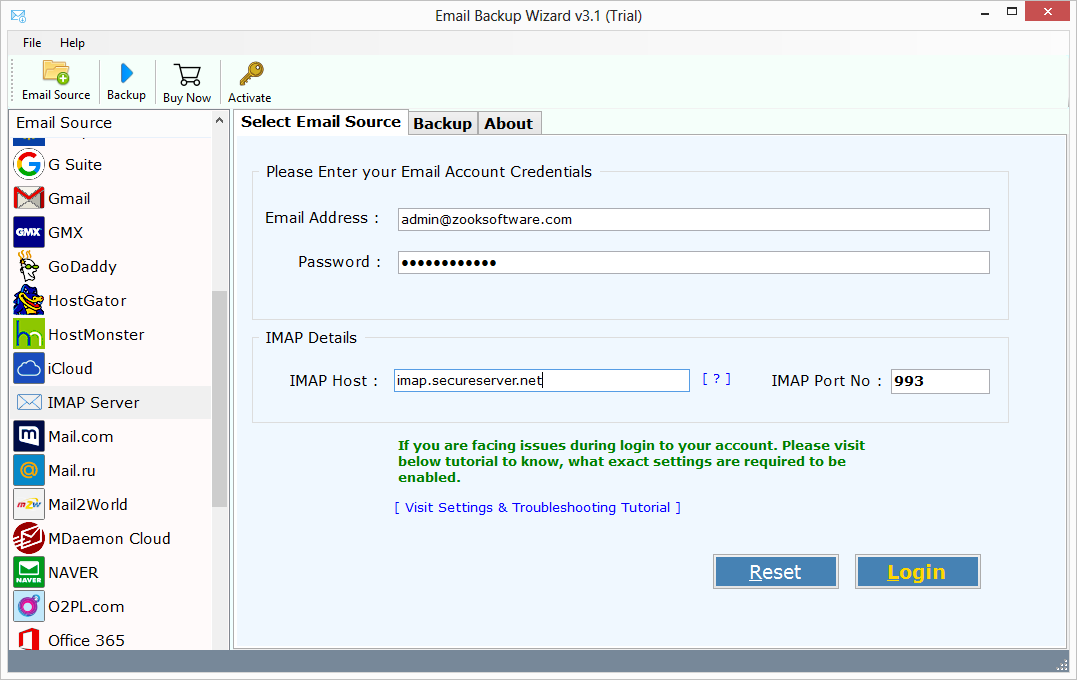
2. Choose IMAP Server option from the list and enter login details like email address, password, IMAP Host and IMAP Port Number. Press Login button to initiate the process.
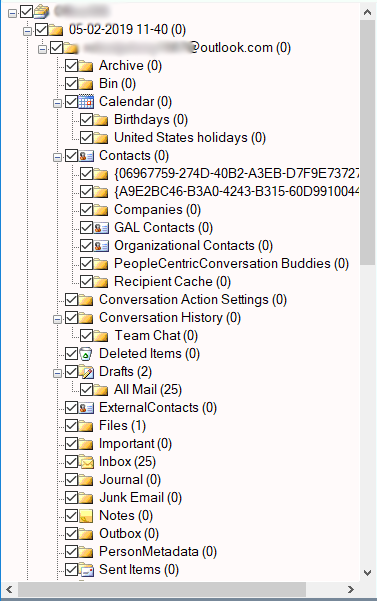
3. Once you hit the Login button, the software starts to load, sync and fetch all mailbox folders associated to IMAP account. Choose the ideal mailbox folders which you want to backup from IMAP account.
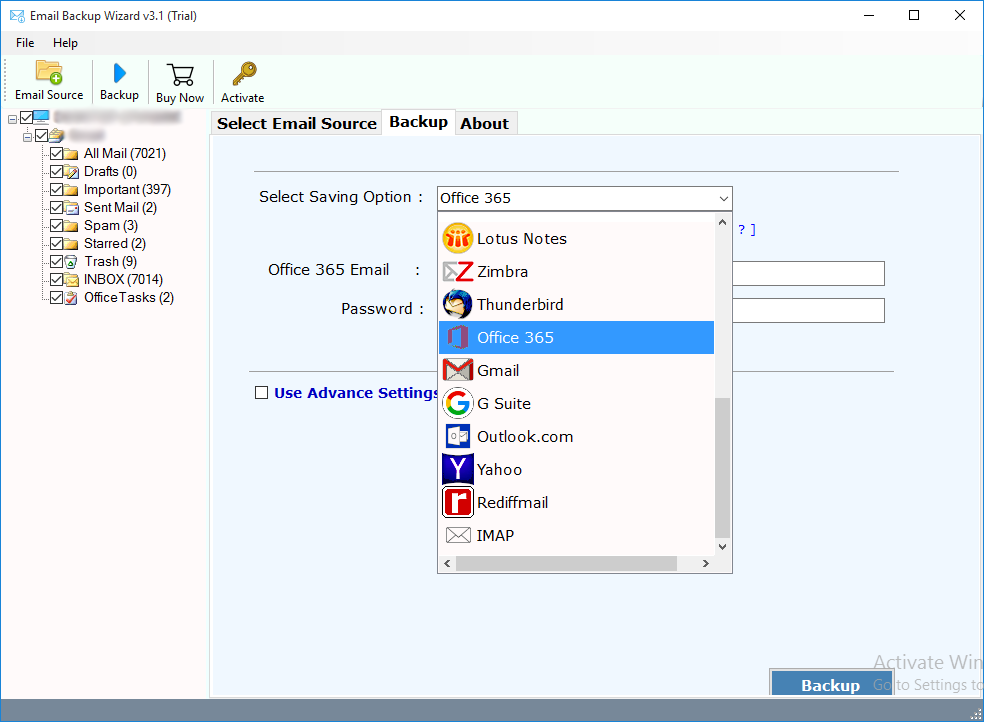
4. Now, you need to select “Office 365” option from the list of multiple saving options.
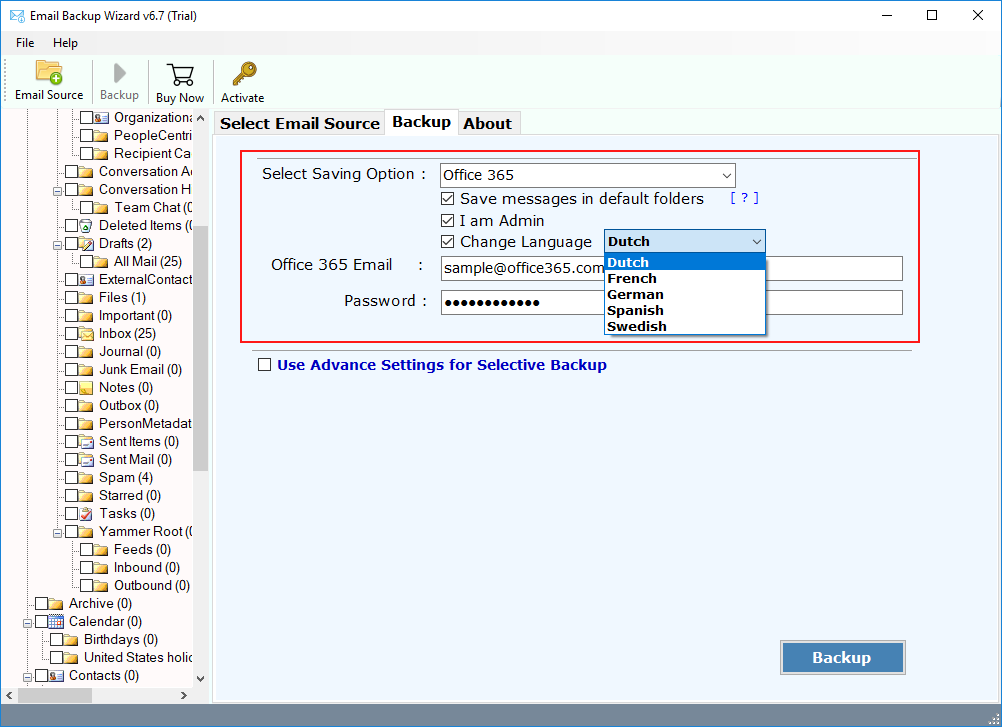
5. Here, you need to enter login credentials of Microsoft Office 365 account such as email address and password. If you are an Admin, then you can opt for “I am Admin” option to export multiple IMAP account to Office 365. There are some other options as well, you can choose “Change Language” and “Save Messages in Default Folders” for additional comfort.
6. The tool has Advance Settings option which lets you to create various email filters based on Date Range, Subject, Sender and receiver information, etc. This is so helpful in moving only specific emails from IMAP account.
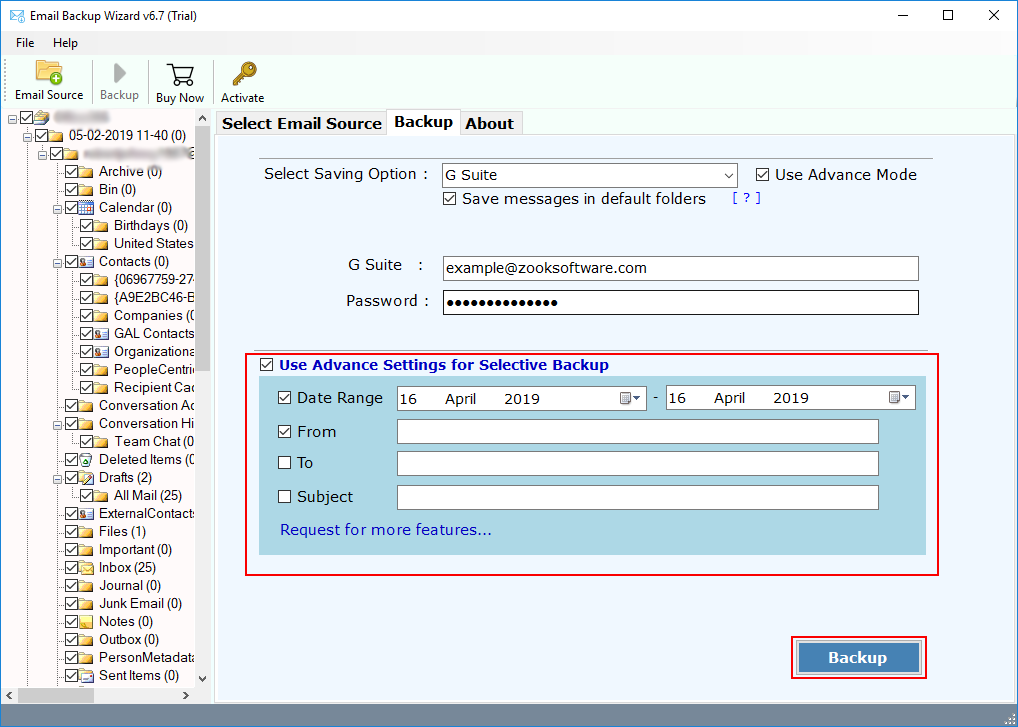
7. Last and final call is to click on Backup button to begin the IMAP to Office 365 migration process.
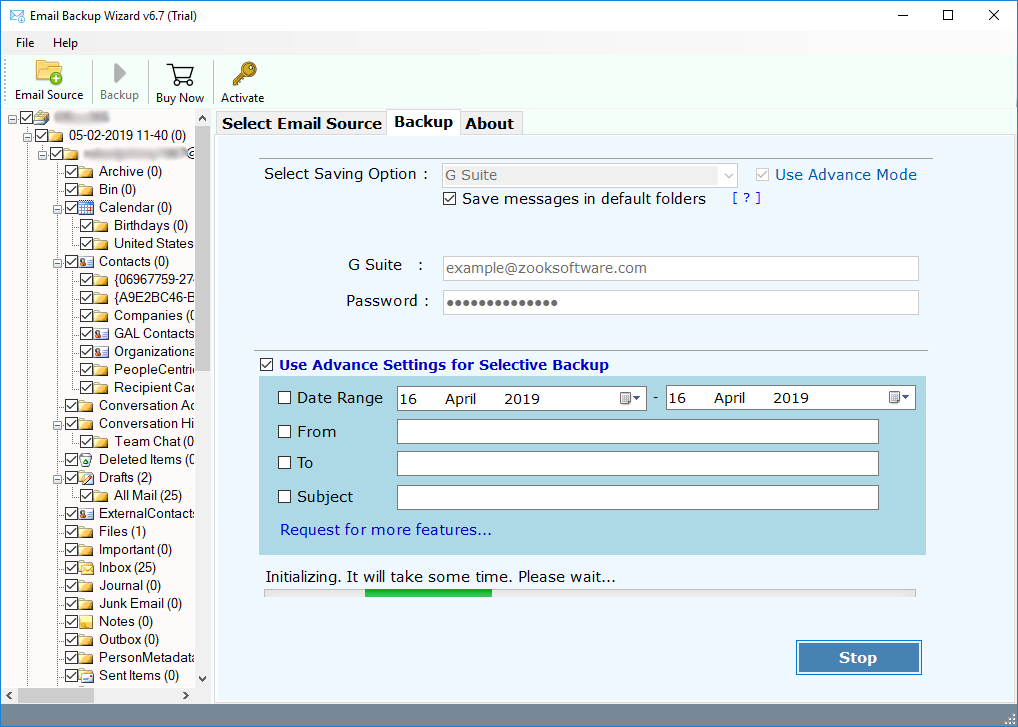
Done!! Now, the tool starts to migrate emails from IMAP account to Office 365. Wait for couple of minutes and you’ll receive a pop-message for completion of process. Now, you need to login to your Office 365 account and check your entire mailbox data of IMAP account in Microsoft 365.
Benefits of Using IMAP to Office 365 Migration Tool
Move IMAP to Office 365 Admin Center: If you are having Admin account, then this tool offers an opportunity to import IMAP email to Office 365 directly by using “I am Admin” option. Just few clicks to migrate IMAP emails to Office 365 account.
Unlimited Backup: It is a most promising software which lets you to export unlimited IMAP accounts to Microsoft 365 without any hassle. There are no limitations to transfer IMAP emails to Office 365.
100% Secured: You don’t need to worry about your mailbox data. It is fully secured and 100% safe solution for users to import IMAP emails to Office 365. The tool only requires a login detail to login your account for fetching and moving emails.
Maintains Folder Hierarchy: IMAP to Office 365 migration tool is capable enough to keep emails in same folders and sub-folders. It keeps the same folder hierarchy even after the migration process.
Preserves Email Properties: It also ensures you about all email formatting, structure and meta-properties of emails even after the completion of process. All emails of IMAP account will remain same during process.
Simple GUI: The GUI of the tool is so simple that itself explains the entire process. Even any novice user can follow its guide to perform IMAP to Office 365 migration.
FREE Trial: You can also avail the FREE Trial edition to evaluate the working of the tool. It offers all the advance features in its trial edition for complete satisfaction.
Wrapping Up
In this blog, we have discussed the most demanding solution which helps you to switch from IMAP account to Office 365 directly. We have described the simple and comprehensive solution for users to migrate from IMAP to Office 365 account in couple of simple steps. It is a completely independent solution which doesn’t required any additional service to perform. So that one can easily perform IMAP to Office 365 migration without losing any data.