How to Add FastMail to Outlook to Export Fastmail Emails to PST?

Want to import FastMail emails to Outlook? To access FastMail account emails in Outlook, you need to check out the best FastMail backup software. Here, in this blog you will get simplified solution to migrate from FastMail to Outlook along with entire data items. Go through the entire blog to know the simplest way to add FastMail emails to Outlook. It is so easy to use tool that anyone can easily transfer FastMail emails to Outlook 2019, 2016, 2013, 2010, 2007, etc. To access your FastMail emails, just go through the complete procedure and save FastMail emails into PST.
Know More: FastMail Vs Outlook
FastMail
FastMail is an independent, employee-owned email provider. It means that we put our customers first and are loyal only to you, with no advertisers or any type of ads in play. The prompt service you receive is the number one focus. It is one of the oldest email services for users. True to its name, it is fast with lean and uncomplicated HTML pages. It does away with many pieces of codes that are integral to other services to keep the service minimalist and fast.
Use of Outlook Email Application
Outlook permits you to send and receive email messages, update your calendars. Moreover, it also store the names and numbers of your important contacts, and even track your tasks. It also helps you to be more productive and efficiently quick! The desktop application has large storage and more secured for users.
Why Do We Need to Migrate from FastMail to Outlook?
FastMail is a popular email desktop service that facilitates paid email accounts for a huge number of individuals, organizations, and businesses. It provides IMAP access to FastMail.com account, so that one can connect to their emails from mobile devices and desktop email clients.
MS Outlook on the other hand is kept up-to-date with a high level of security and prompt services. Due to the increased cyber threats, Outlook has been keeping improving the safety of client’s information that is most important.
What is the Best Way to Export FastMail to Outlook?
In this blog, we will elaborate on the FastMail to Outlook migration. Whenever, it is required for users to add FastMail to Outlook, then it can be simply done by using ZOOK FastMail Backup Software. It enables user to migrate from FastMail to Outlook by saving FastMail emails to PST format. The tool is highly advance utility for users which can smoothly export FastMail to Outlook with attachments. In couple of clicks, one can easily backup FastMail emails to PST format. So that one can directly import FastMail emails to Outlook 2019, 2016, 2013, 2010, etc.


5 Steps to Transfer Emails from FastMail to Outlook
- Download and Launch FastMail to Outlook Backup software in your PC.
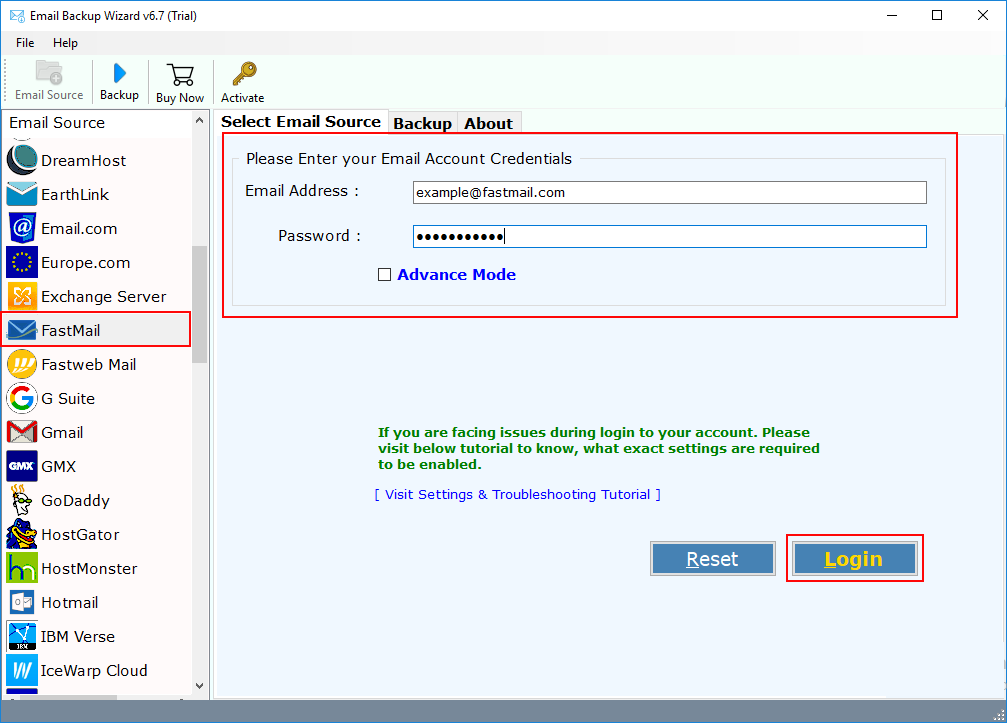
- Choose FastMail option from 85+ email source list and enter account credentials.
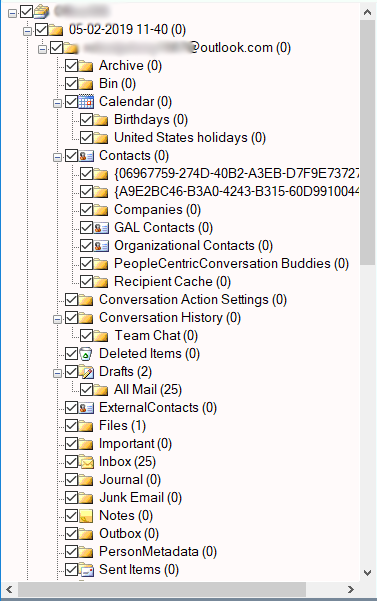
- The tool starts to fetch mailbox from FastMail account.
- Set PST as saving option from various saving options.
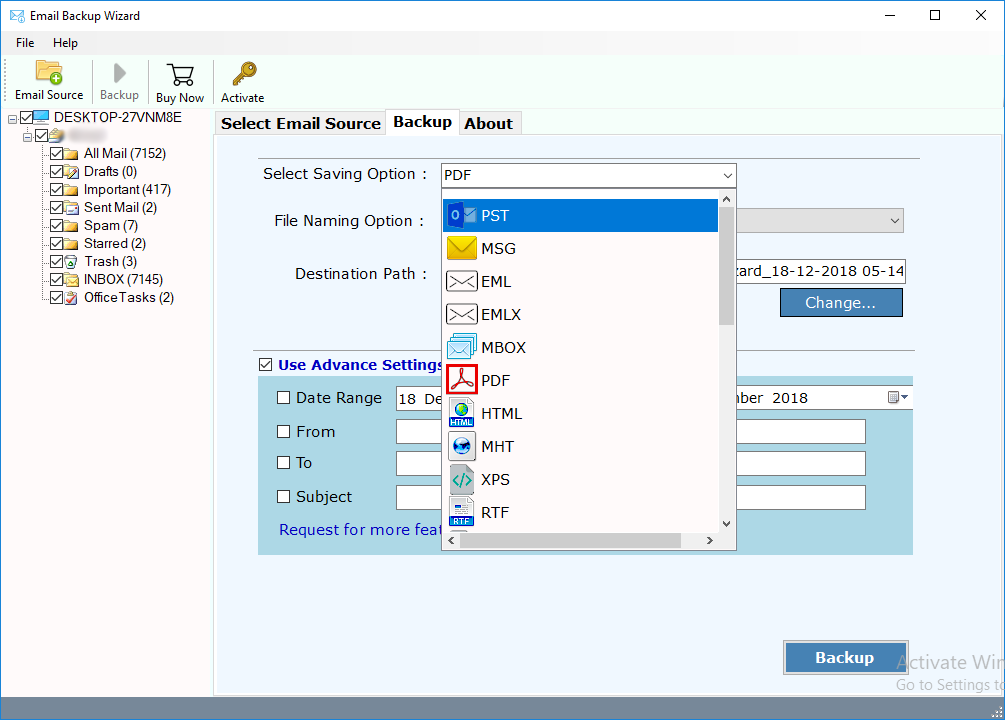
- One can also set advance settings to extract selected emails from FastMail account. Users can set filters based on Date Range, To, From, Subject, etc.
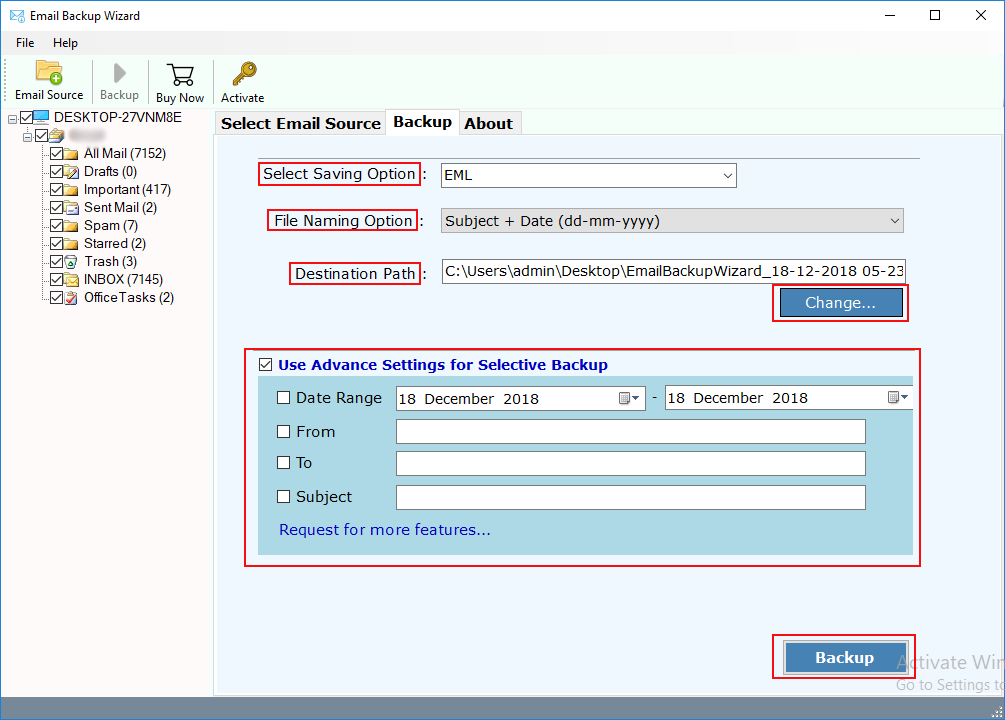
- Click on Backup button to start Fastmail to Outlook migration.
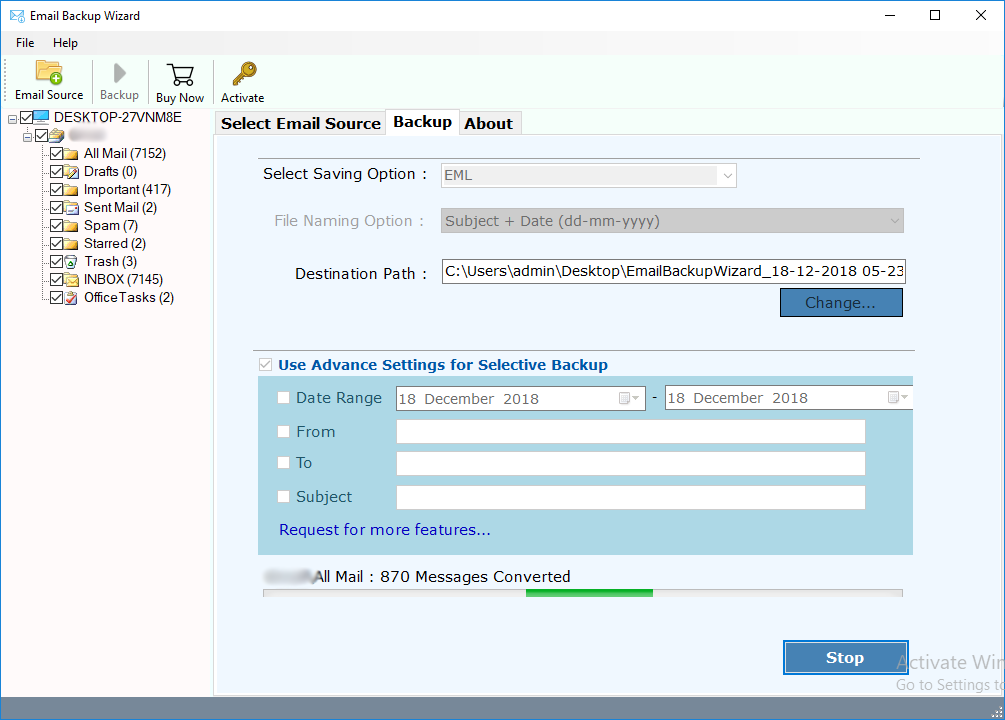
In couple of clicks, one can efficiently transfer emails from FastMail account to PST format. The tool has so easy to use interface that anyone can directly migrate FastMail to Outlook without any issue.
Highlighted Features of FastMail to Outlook Migration Tool
It is a highly recommended software for those who want to export FastMail emails to Outlook account. The tool comes up with a user-friendly and intuitive interface. The users can easily add Fastmail to Outlook account without losing any sort of information.
- Migrate Multiple Accounts: The tool allows you to migrate multiple FastMail email accounts into Outlook accounts in one flow. This important feature is helpful to reduce the involved time and efforts.
- Safe and Secure: This software tool is completely free from any type of risk. Technical and Non-Technical users can easily perform the migration or transfer without facing hassle.
- Backup FastMail Emails with Attachments: Fastmail to PST Migration tool not only convert emails but also helps to save FastMail emails to PST with attachments.
- Windows Compatibility: This software is compatible with all Windows editions. You can also install this tool on Windows 10, 8.1, 8, 7 and other older versions.
- Selective Folder Migration: With this software tool, users need to check the folders whose data you want to transfer into PST format. Selective conversion allows to save only desired email folders into PST format.
- Maintains Email Properties: While migrating Fastmail emails to Outlook, the tool maintains all the email properties. One can easily get the exact and safe migration in simple clicks.
- Keeps Same Folder Structure: The tool completely ensures user about folder structure of FastMail account. All folder structure will remain intact during conversion.
- Advance Filters: It offers multiple advance filters to save only desired emails from FastMail account by setting multiple filters.
Conclusion
With the help of Fastmail to Outlook Migration tool, you can easily migrate from FastMail to Outlook without facing any sort of issues. It is a highly professional tool which can safely export FastMail emails to PST format. The tool successfully migrate FastMail account to Outlook without altering the important information. The tool is also available in trial edition for users to test the efficiency of the tool.