ZOOK NSF to PST Converter

Superior Method to Convert Lotus Notes(.nsf) to Outlook(.pst)

  • Efficient Method to convert NSF to PST format for Outlook.
  • Export NSF file to PST format with Lotus Notes.
  • Effortless solution for non-technical users to migrate Lotus Notes to Outlook.
  • Capable to maintain same folder structure even after the conversion.
  • Fully supportable with IBM Lotus Notes and Microsoft Outlook.
  • Provides Split and Merger Options for Outlook Data File.
  • Faciliates to Migrate Lotus Notes to Outlook PST, Exchange Server, Office 365, etc.

Download Now   Buy Now

ZOOK Software

norton supportmcafee support

Innovative Features of ZOOK NSF to PST Converter

nsf to pst converter

Smoothly Converts NSF to PST Format

NSF to PST Converter enables user to export entire database of IBM Lotus Notes to Outlook in few seconds. The utility easily extracts IBM Notes contacts, calendars, email messages, journals, tasks, to-do list, notes, and much more into Outlook PST format without applying any extra efforts. It easily converts NSF archive, encrypted NSF and names.nsf file to PST format in few seconds.

batch nsf conversion

Batch Conversion of NSF Files to PST

The NSF to PST migration tool has the capability to export multiple NSF files into Outlook PST format at a time. It has “Add Folder” option which allows user to select and add multiple NSF files to perform the migration from NSF file to PST format. It enables user to batch export NSF to PST format to perform the conversion of large NSF files to PST format.

maintains folder structure

Preserves Original Folder Structure

The utility enables user to export NSF file to Outlook PST format by preserving the entire folder structure. All the data will remains saved in same folders and sub-folders while transferring Lotus Notes NSF to Outlook PST. It is the best migration tool to migrate NSF file to PST format without altering any information in NSF file.

create new folder

Save Outcome File in New Folder

Lotus Notes to Outlook converter enables user to perform the migration from IBM Notes NSF file to PST format. In order to migrate NSF to PST format, users can choose the desired location in the system and save the resultant file by creating a new folder. It enables user to create a folder through software panel and save resultant PST file in it. After the conversion process, it automatically opens the resultant file/folder in front of users.

easy to use GUI

Interactive User-Friendly Interface

The software has self-explanatory interface which is especially developed for non-technical users to export NSF file to Microsoft Outlook PST format. It has simple, interactive and user-friendly interface which enables user to perform the operations step wise step in few seconds without any assistance. Overall, it is two step approach for users to change NSF file to PST format.

supports all lotus notes version

Supportable Lotus Notes 9.0 & Below

It is fully compatible with all the available versions of IBM Lotus Notes i.e. it supports Lotus Notes 9.0.1, 9.0, 8.5, 8.0, 7.0, 6.5, 6.0, etc. Moreover, it can also support all the versions of Microsoft Outlook. Moreover, the utility requires a proper installation and configuration of IBM Notes in the system for the successful conversion of NSF to Outlook PST.

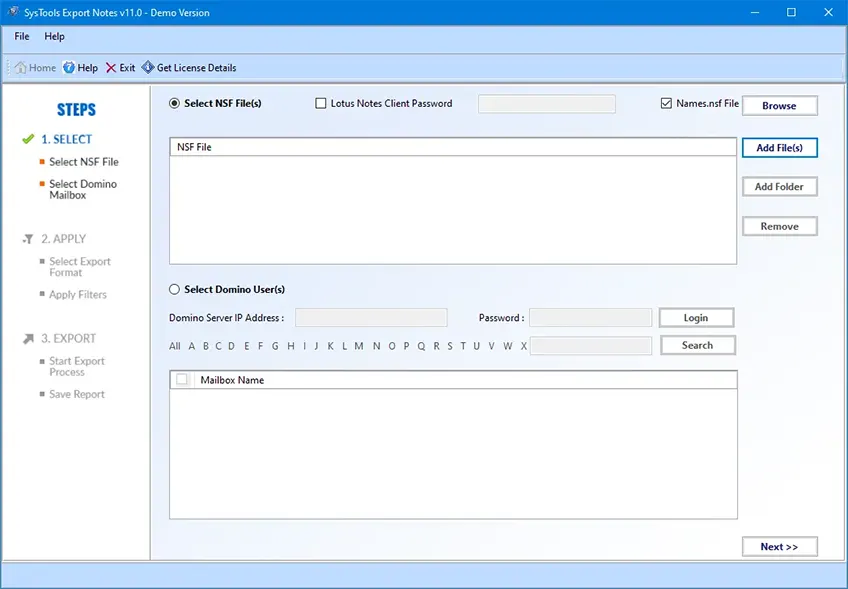
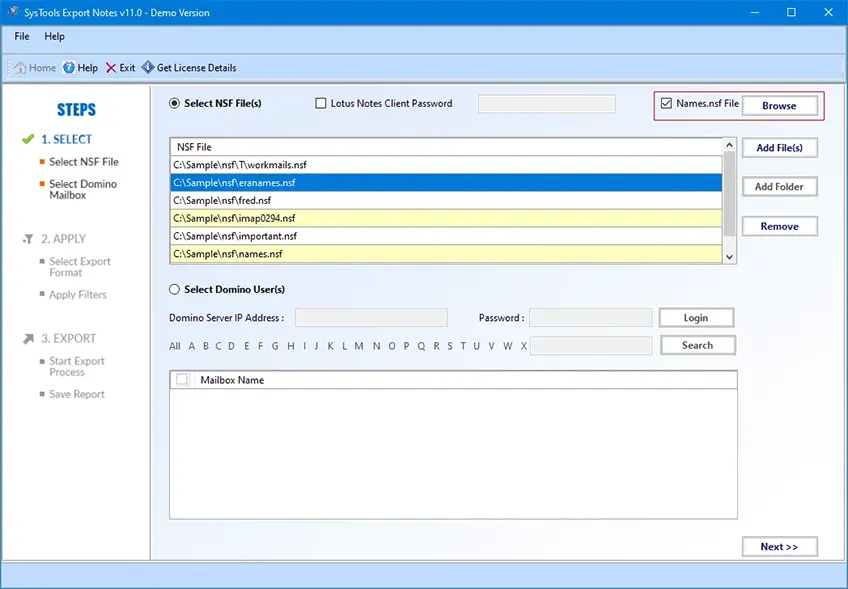
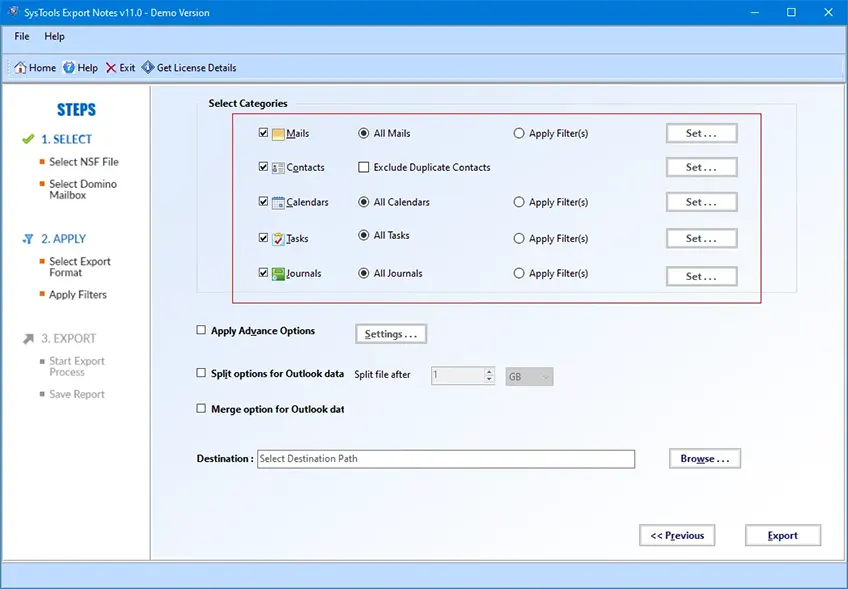
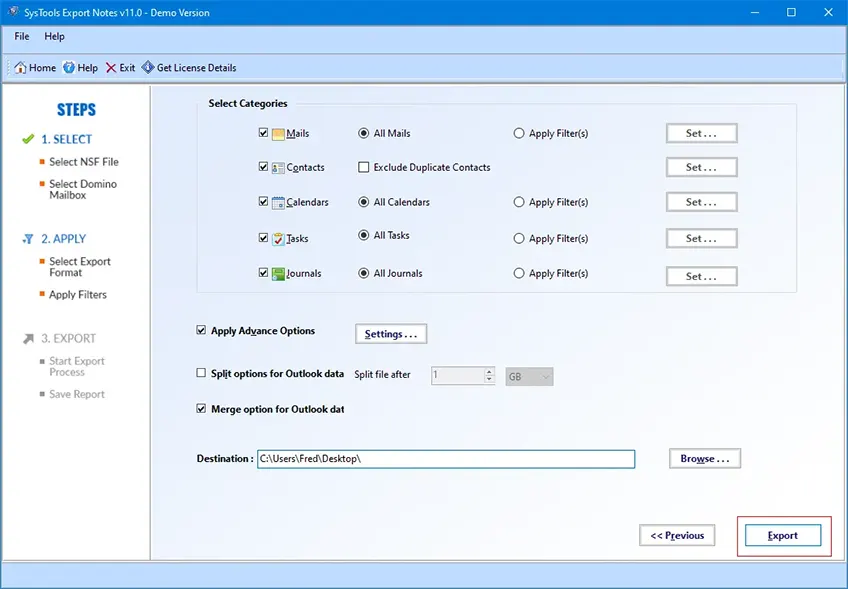
Screenshots - Lotus Notes to Outlook Converter

Let's Get Started to Resolve Your Problem...

Download Now   Buy Now

Specifications - NSF to PST Converter

Trial Limitation

  • The Trial Version will convert first 25 emails only.

Download Now

Compatible With

  • Full Support to Windows 10 & all below Windows Version (32 & 64 Bit)
  • Supports Lotus Notes (9.0.1, 9.0, 8.5, 8.0.2, 7.0, 6.5, 6.0)

Pre-Requirements

  • Minimum of 1 GHz processor.
  • 512 MB of RAM memory. (1GB recommended)
  • 50 MB of free hard disk space for installation.

Frequently Asked Questions

However, when users are looking to change NSF files to PST format, then they must choose the most prominent utility ZOOK NSF to PST Converter. It successfully migrates NSF file to PST format by preserving the data integrity, email formatting, HTML formatting, and folder hierarchy even after the conversion. Overall, it is the safe and the reliable solution to export NSF to Outlook PST format in few moments without losing any data.

Undoubtedly, IBM Lotus Notes has wide range of quality features as compared to Outlook. But still there are several factors which forces users to convert NSF to PST format. Few of the common reasons are discussed below: -
  • Too much costly for normal users.
  • Maintenance of IBM Notes is too high.
  • Not a simple task for novice users to handle the IBM Notes without any training.
  • Outlook enables user to access multiple accounts a time whereas it is not possible in Lotus Notes.

There is no limitation for users to convert NSF to PST format at a time. The utility has a “Add Folder” option which enables user to batch export NSF files to PST format.

Yes, the tool requires the proper installation and configuration of the IBM Notes in the system for proper functioning.

Yes, the tool is designed by using specific techniques which enables user to export NSF to PST format in few moments and instantly get their data back. It allows user to import NSF to Outlook without any extra efforts because it supports all the versions of Microsoft Outlook 2016, 2013, 2010, 2007, and all below versions.

Yes, the utility easily converts NSF file along with their data items like contacts, calendars, notes, journals, etc. into PST format. It enables user to convert names.nsf, username.nsf, archive NSF file, etc. into PST format.

IBM Lotus Notes is the most popular email client which is suitable for large business organizations. It contains various advance features such as email messaging, notes, journals, contacts, calendars, etc. Lotus Notes stored the entire mailbox data in NSF file extension where it stores the address book in names.nsf and the entire storage of email data in username.nsf file.

What Clients Says

Let Us Know What People Says about NSF to PST Converter

You Might Be Interested in These Products Too