Outlook.com to Office 365 Migration to Backup Outlook.com Emails to O365
Are you migrating your Outlook.com account to Office 365? But afraid, how to migrate emails from Outlook.com to Office 365 due to a lack of knowledge. If you think so, then no need to worry anymore because you are at right place. Here, we will provide you a complete guide to backup Outlook.com emails to Office 365 account. Using those step-by-step solution, one can safely export Outlook.com account emails to O365 mailbox. Read the complete article carefully to switch from Outlook.com to Office 365.
Here are few quick queries which creates a trouble for users. There are lots of queries which had happened genuinely with users. Due to lack of knowledge, users are unable to move Outlook.com account mailbox to Office 365. So, if you are also having these queries, then you need to follow this blog to get out of it.
- How Can I Import Outlook.com Emails to Office 365?
- How to Switch from Outlook.com to Office 365 Account?
- Is Any Solution to Transfer Outlook.com Account Emails to Office 365?
- Do I Export Outlook.com Account to Office 365 with Ease?
- How to Migrate Outlook.com Emails to O365 in Simple Steps?
All these queries are always in mind of users who are looking to move their emails from Outlook.com account to Office 365. Therefore, follow the direct solution as discussed in this blog to transfer Outlook.com mailbox to Microsoft 365 apps.
Professional Solution to Migrate from Outlook.com to Office 365?
The most recommend solution by the Microsoft MVPs for safe and secure migration is ZOOK Email Backup Software. It is a superior solution which allows user to export Outlook.com emails to Office 365 account directly. This is an automated solution which allows to import Outlook.com account mailbox to O365 account. It ensures user to perform effortless migration of data without any limitations. Using a professional tool would be handy to migrate from Outlook.com account to Office 365 account.


Step-by-Step Method to Export Outlook.com to Office 365 Account
Just use the professional solution ZOOK Outlook.com to Office 365 migration tool to export Outlook web app emails to O365. Just follow the simple and an easy way to transfer Outlook.com mailbox emails to Microsoft 365.
- Download and launch the Outlook.com to Office 365 backup tool in PC.
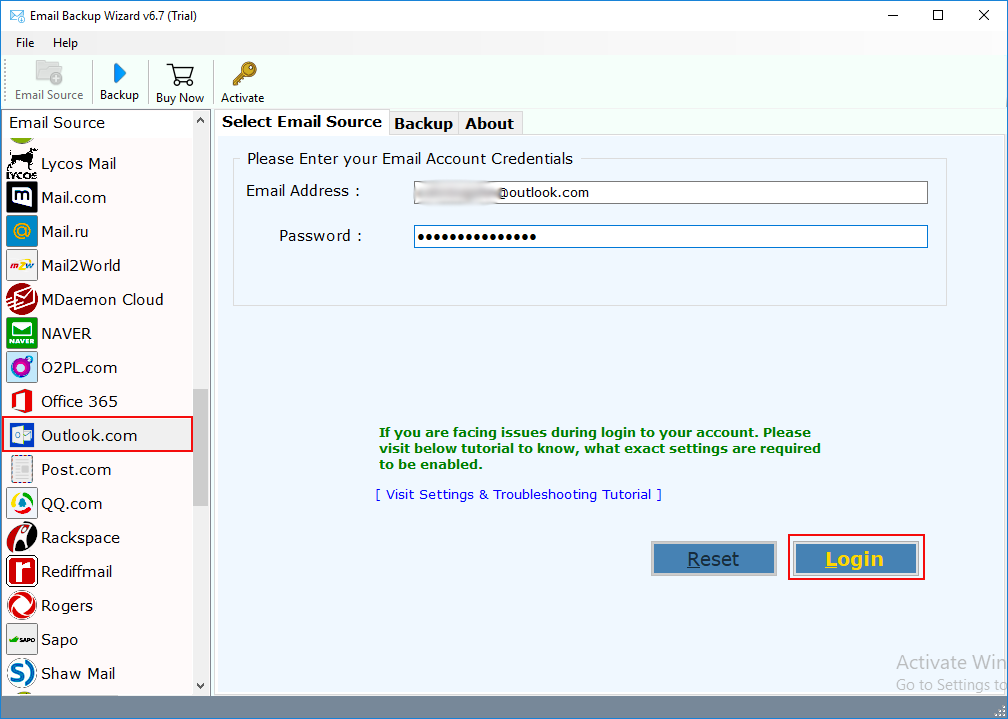
- Let us choose Outlook.com option from various Email Source List and enter login details.
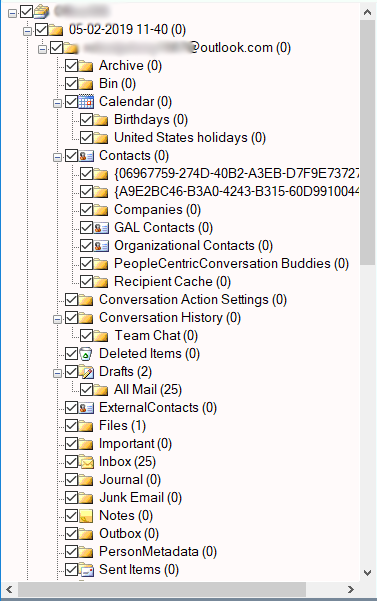
- This starts to sync Outlook.com mailbox in software panel. Here, you can select required folders or subfolders.
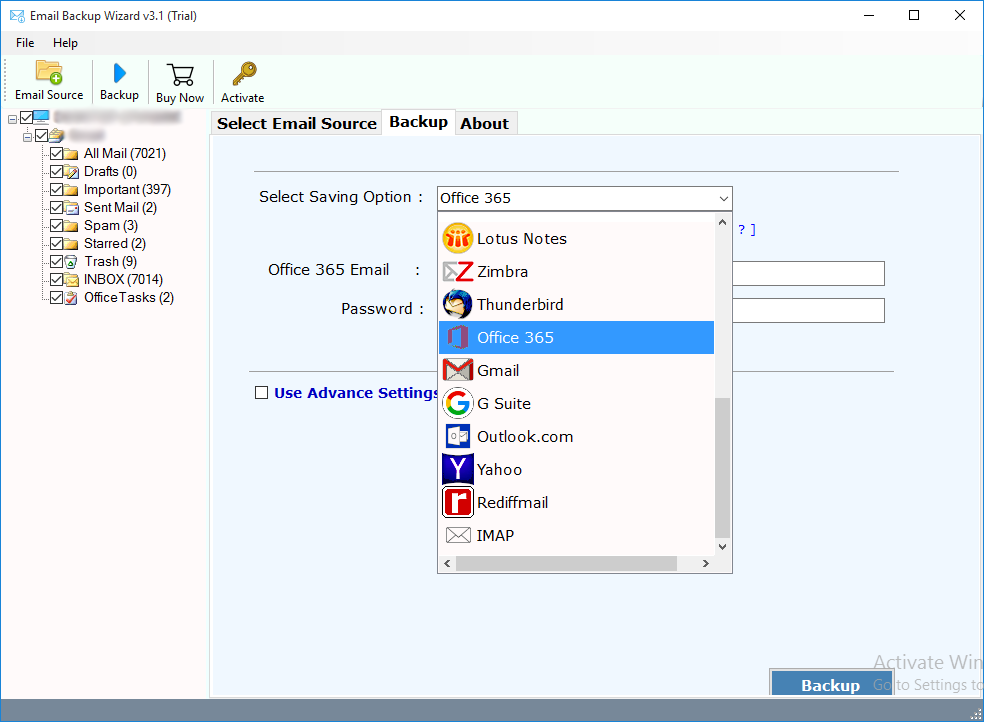
- After that, there you need to select Office 365 option from 30+ popular saving options. There, you need to enter login credentials of Microsoft 365 account.
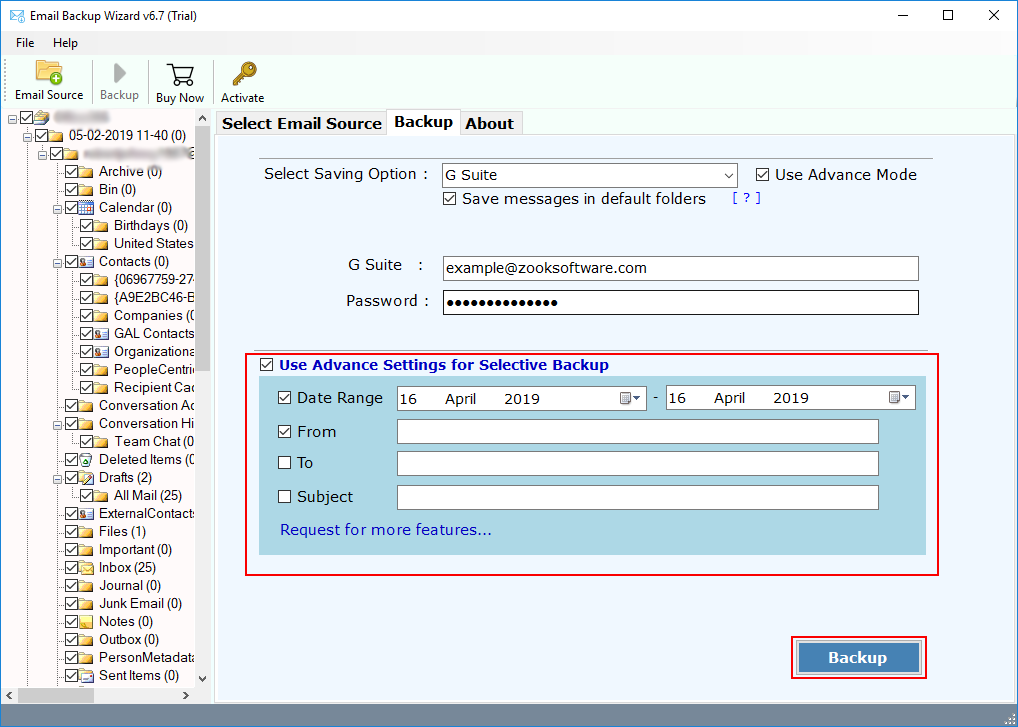
- Users can also use Advance Settings to set various filters and export only emails of Outlook.com account. You can apply lots of filters according to Date Range, To, From, Subject, etc. This enables to save selected emails of Outlook.com account into Office 365 account.
- Last step is to click on Backup button and start the backup process.
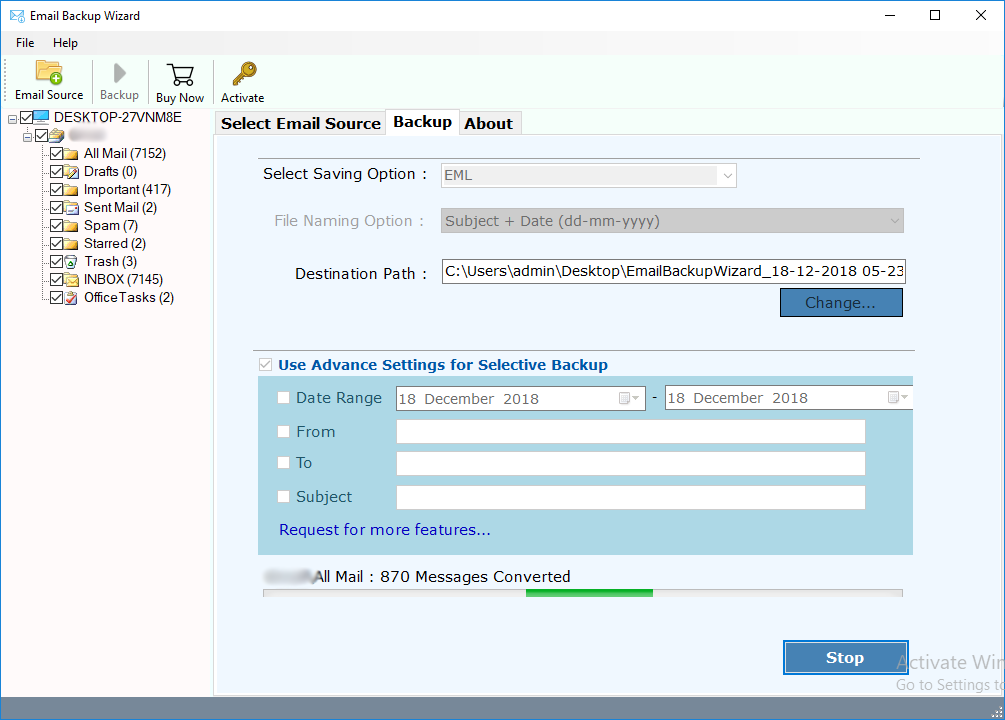
That’s it! It is a simple solution which successfully migrate Outlook.live.com emails to Office 365 account. Using a hassle-free solution one can effortlessly migrate emails from Outlook.com account to Office 365.
Migrate from Outlook.com Account to Office 365 Using Advance Features
- Highly Secured method to move Outlook.com account mailbox to Microsoft Office 365.
- Retains all folder structure to keep all Outlook.com emails in same folders.
- Multiple advance filters to take backup of selected Outlook.com emails.
- Successfully preserves all email properties during migration.
- The tool is available in multiple languages to use.
- Complete migration of Outlook.com account emails to O365.
Concluding Words
We have learnt how to migrate from Outlook.com to Office 365 account using a simple solution. If you also want to export Outlook.com mailbox to O365, then you can use a simple and efficient guide. The tool provides a straightforward solution to transfer emails of Outlook.com account to Office 365. There are lots of advance features and benefits which have been explained in a detailed manner. We recommend you to try the FREE demo of tool to get clarity of data.