Tips to Convert The Bat! to PDF File to Save & Print The Bat! Mails to PDF Format
Are you looking to export The Bat! to PDF format? If so, then we will provide you a best solution to migrate emails from The Bat! to PDF format. In this article you will get an assured solution to convert The Bat! to PDF format. So that users can easily print The Bat! emails as PDF format without any alteration of data.

As we know that The Bat! is a popular shareware email application for Windows users. It is a simple and secure email client which enables user to add multiple email account to access in a single email application.
However, users need to print multiple The Bat! mails into PDF format. Users can print one or two emails of The Bat! email application but what happens when it is required to bulk convert The Bat! to PDF format. In that case, users need to opt third-party utility which allows user to export multiple emails from The Bat! to PDF format.
Know How to Convert The Bat! to PDF Format?
If you are decided to save The Bat! emails to PDF format, then you need to choose the best tool i.e. The Bat! MBOX to PDF Converter. It is the straightforward solution for users to transfer The Bat! emails to PDF format. It is the most secured solution which permits user to save and print The Bat! mails to PDF format with attachments.
The tool consists of multiple advance features which makes all the conversion task so simple and reliable for users. With this The Bat! to PDF migration tool, users are capable to bulk export The Bat! mailbox to PDF format without losing any data. The tool is fully supportable to all Windows edition which means you can easily convert The Bat mails to PDF on Windows 10, 8, 8.1, 7, XP, etc. Using this tool, you can directly convert and save The Bat! mails to PDF along with embedded attachments.
Hit a Download button to get FREE The Bat! to PDF Exporter Tool.

Step-by-Step Guide to Export Emails from The Bat! to PDF Format
After downloading the migrator tool, users can easily export The Bat! emails into Adobe PDF format without any alteration of data. And Just follow the simple steps as described below: –
- Export .mbox From The Bat!
- Convert The Bat! MBOX File into PDF Format
1. Export .mbox from The Bat!
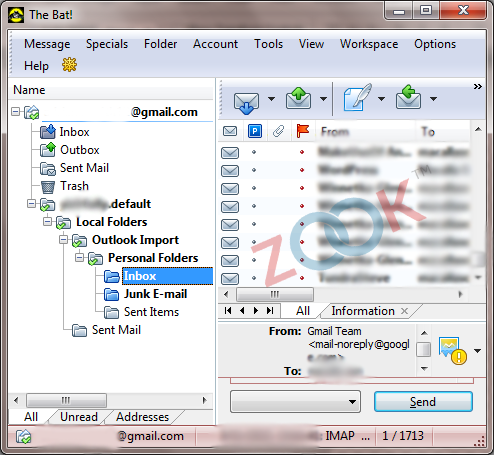
- Open The Bat! email application in your system.
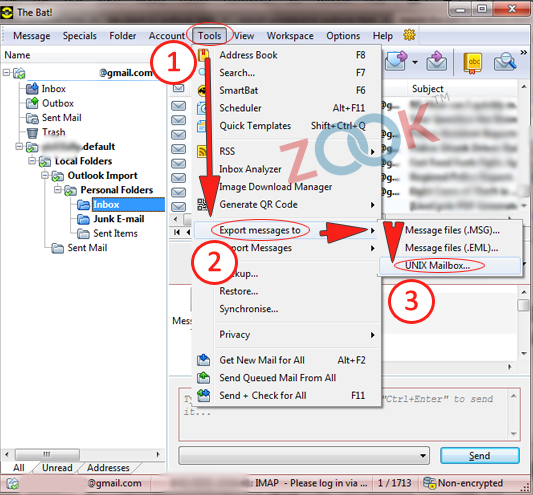
- Go to menu and select Tools. Now, move you mouse to select Export messages to and choose UNIX Mailbox…
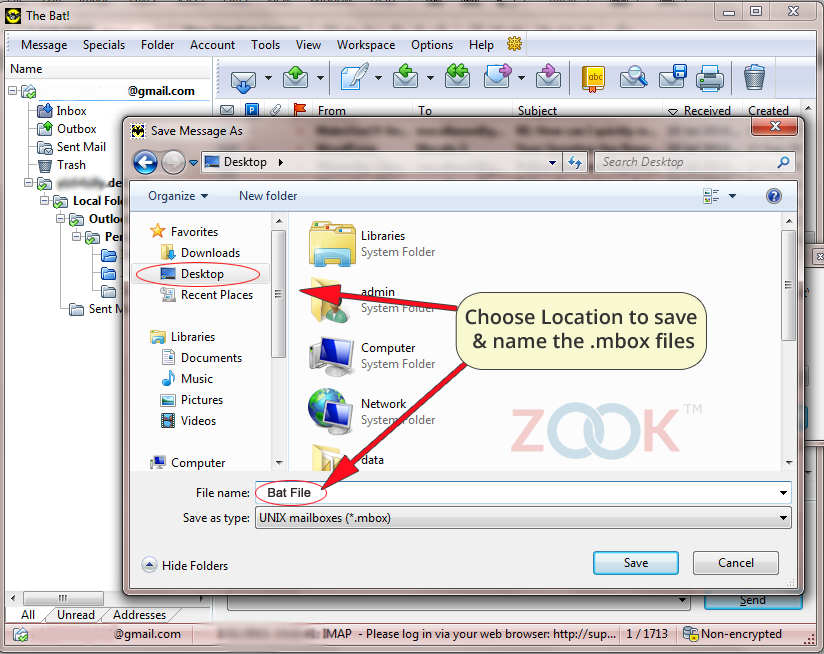
- Now, set your file name and choose destination location to save The Bat! mailbox.
2. Convert The Bat! Mailbox to PDF Format
- Install and Launch ZOOK MBOX to PDF Converter.
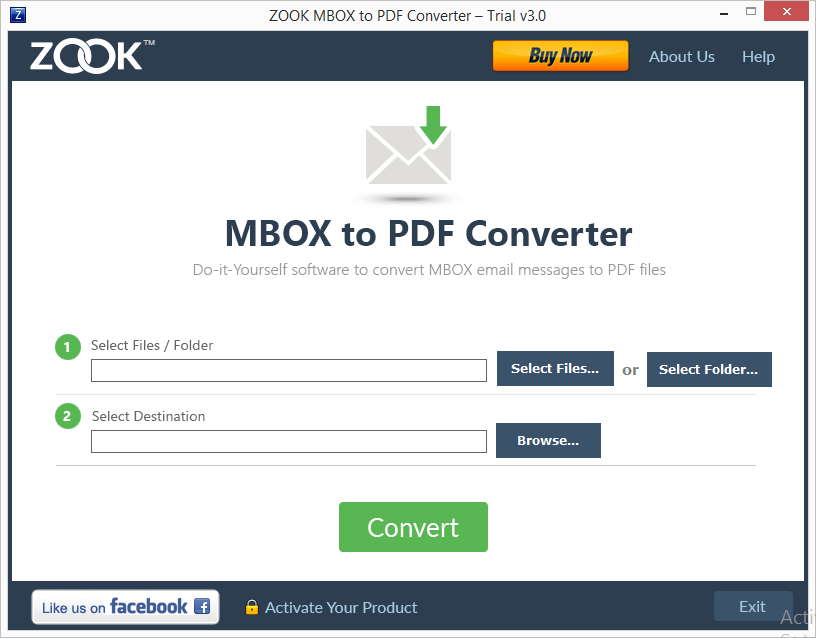
- Choose the required option from software panel i.e. Select Files and Select Folder as per user’s requirement.
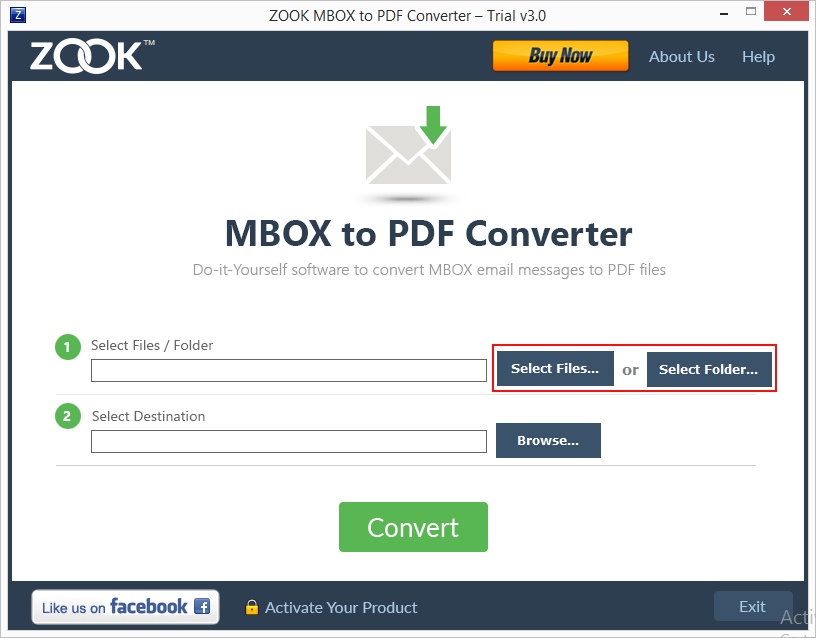
Now browse and select your desired The Bat! mailbox files/folder.
- Now, click on Browse button to set desired file location.
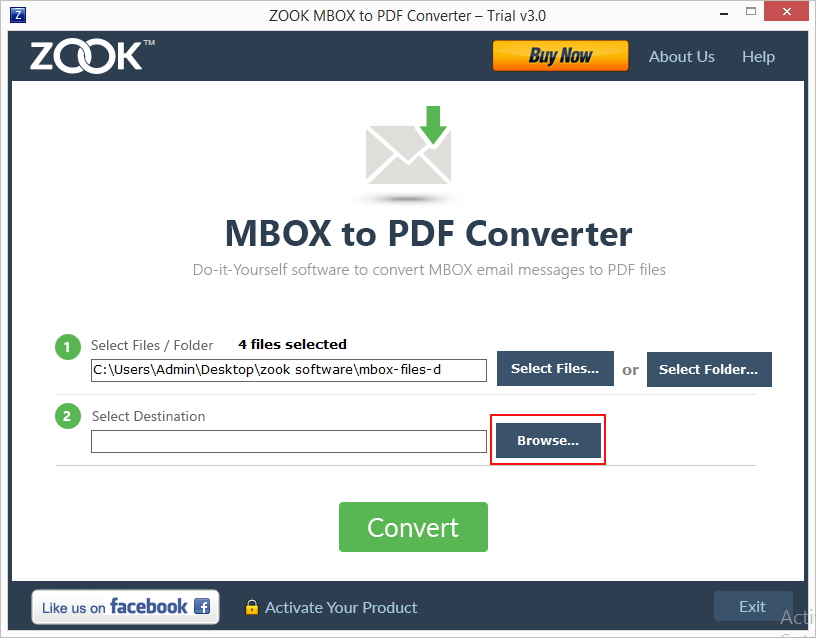
(Here you can also rename your file and create a new folder to save resultant PDF file in desired folder.)
- Finally, click on Convert.
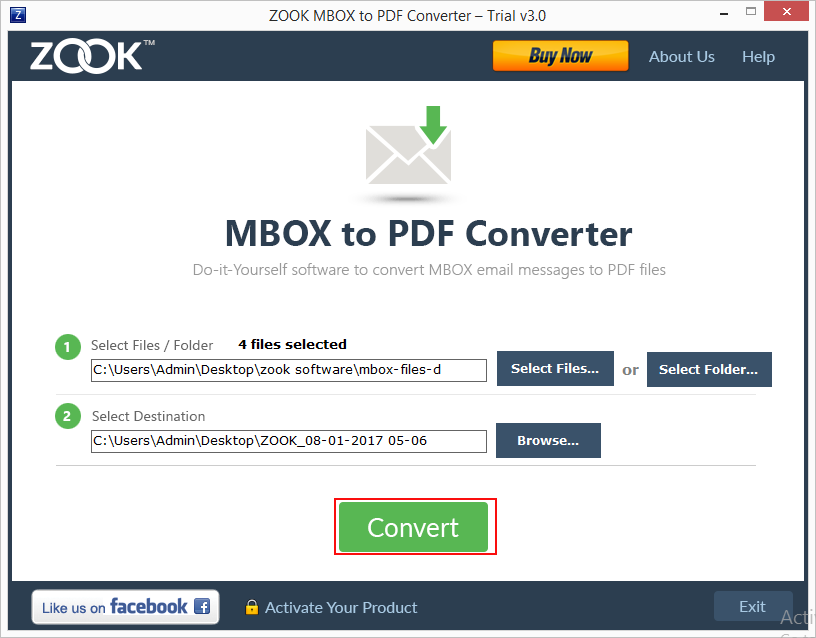
- Now, it directly exports emails from The Bat! to PDF format.
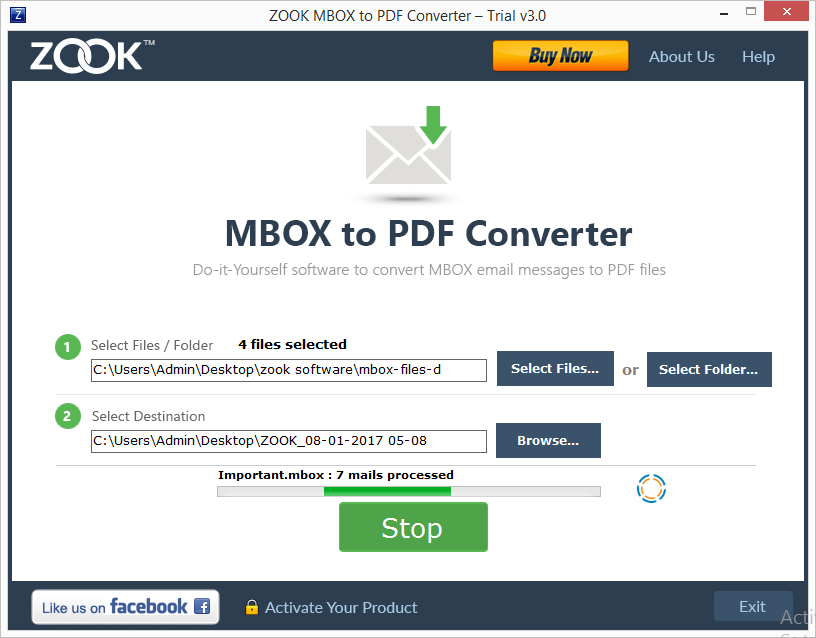
In couple of moments, users will get their resultant PDF file at their selected file location. The Bat! to PDF conversion tool enables you to access all mailbox folders of The Bat! email application as PDF format. It is the best method to print The Bat! emails to PDF format without losing any data.
Advantages of Using The Bat! to PDF Migration Tool
- The tool offers you a dual mode of conversion to export desired emails from The Bat! email application.
- Provides complete conversion from The Bat! to PDF format without losing a single bit of information.
- Users are capable to bulk convert The Bat! to PDF format in few seconds.
- Fully supportable to all Windows editions.
- Allows to rename their resultant mailbox folders.
- Users are capable to create a new folder through software panel to save resultant file.
- It ensures users about email formatting and entire data integrity of The Bat! emails will remain intact even after the conversion.
Final Words
In this blog, we have discussed the most assured solution to save The Bat! emails to PDF format. It easily converts The Bat! to PDF format which enables user to print The Bat! to PDF format. The tool enables user to bulk export The Bat! emails to PDF format without any additional efforts.


You can also try FREE demo edition of The Bat! to PDF conversion tool which offers you to convert 25 items from The Bat! to PDF format.
Also Read: – How to Export Emails From The Bat! to Outlook PST?